/offstore lets your character keep selling even after you close the game. It is one of muss6's two offline modes; the other is offline leveling (/offlevel).
Step by step
- Put the items into your personal store, set a price on each, name the store and open it as usual.
- Type
/offstorein chat. The blue message "Offline store started. You can log back in at any time to stop it." confirms it worked. - The game disconnects itself and you can close the client. Your character keeps selling on the spot.
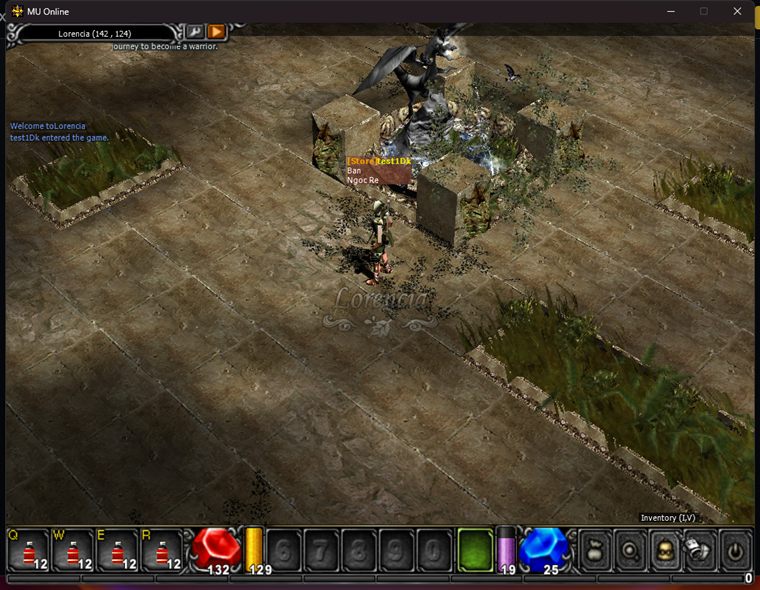
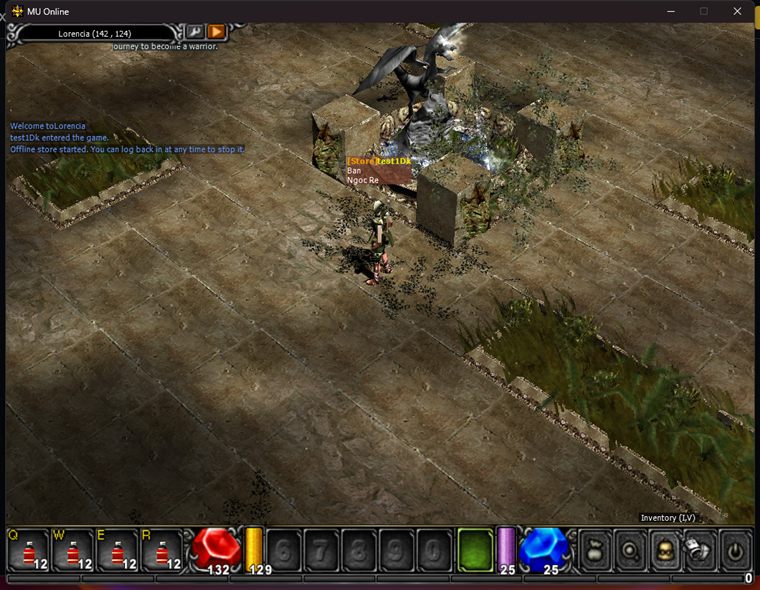
- Free, costs no zen.
- The store must already be open when you type the command, otherwise it reminds you to open it first.
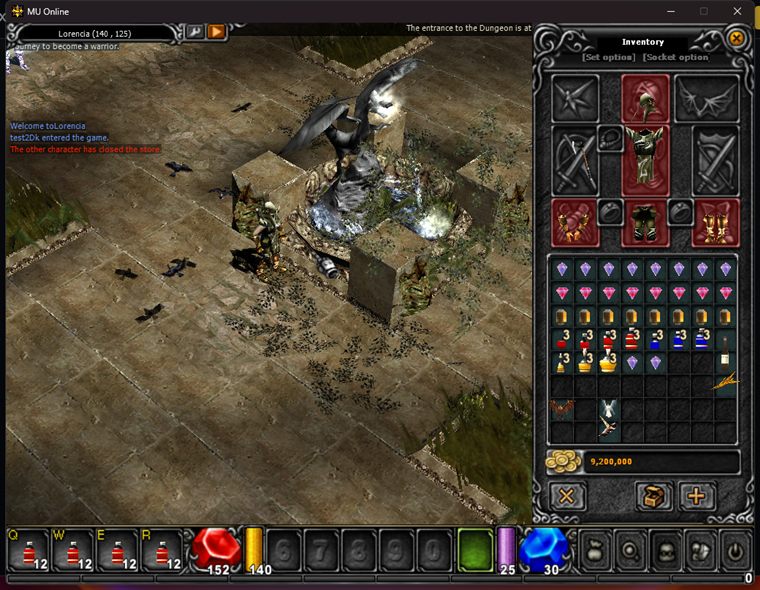
- Sold out: the store closes, the character logs out and all earned zen is saved immediately.
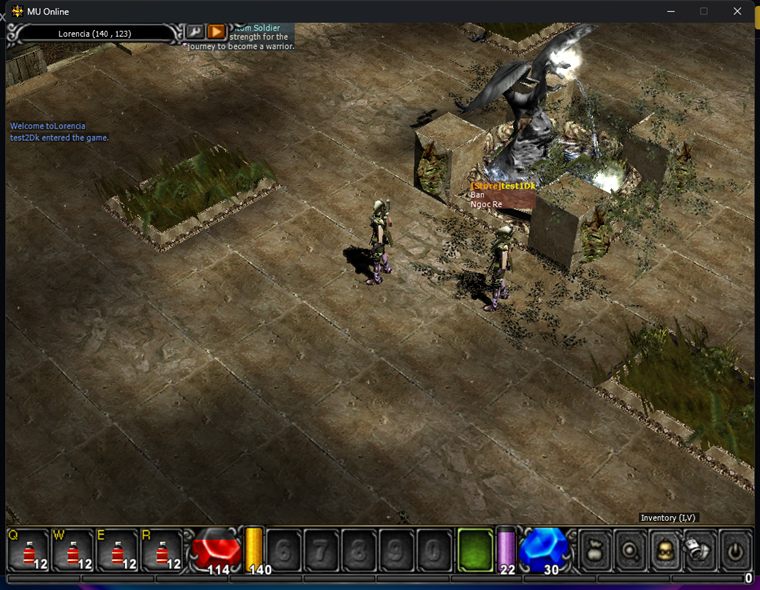
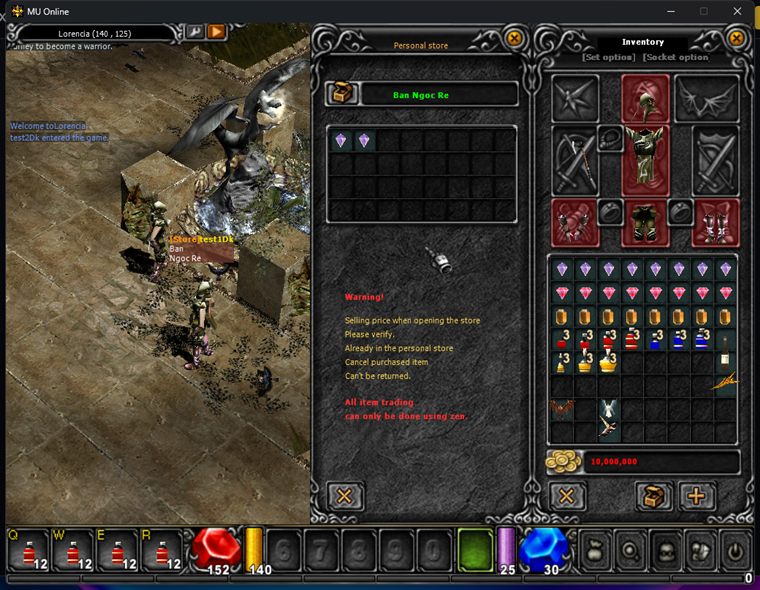
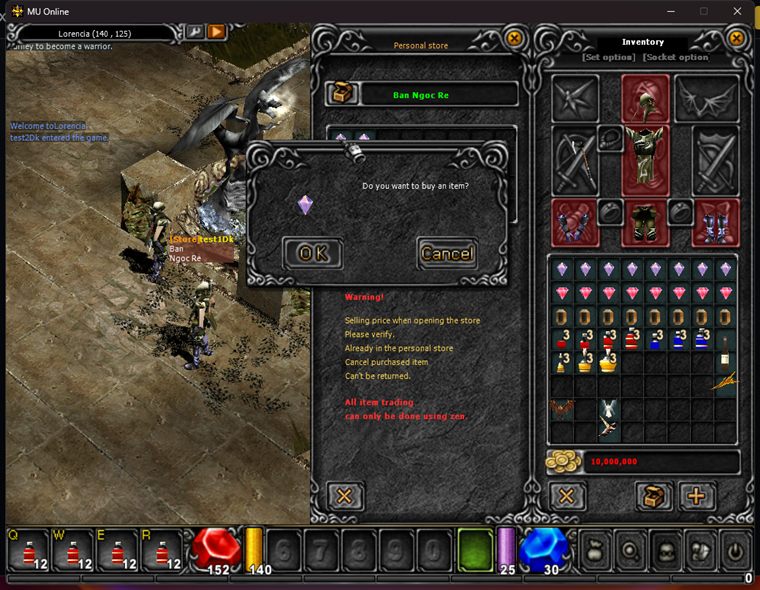
- Buyers just click the store sign above your head and buy like from any normal store.
- Tip: park in a busy spot (Lorencia square) to sell faster.
How other players buy from you
After you close the game, your character stays on the map with its store sign. Buyers use it like any normal store:
General offline-mode notes
- Each account can run only one offline session at a time.
- Log back in at any time to stop the session, all progress (zen, exp, items) is kept.
- A server restart or maintenance stops the session, just log in and start it again.
- Requires the latest client: simply start the game through the Launcher and it updates itself.
| /offstore | /offlevel | |
|---|---|---|
| Purpose | Sell from your personal store | Grind monsters with MU Helper |
| Requires | Personal store open | MU Helper running |
| Cost | Free | Level-based zen fee + ongoing drain |
| Auto-stops when | Sold out (zen saved immediately) | Character dies (after respawn) |
| Manual stop | Log back in | Log back in |
Updated 06/07/2026